

Review, Ai Affiliate Programs, Tech affiliate programs
Buffer Review 2026: Is It Still the Best Social Media Management Tool?

Mar
Affiliate Disclosure: This article contains affiliate links. If you sign up for Buffer through one of our links, we may earn a commission at no additional cost to you. This does not affect our editorial opinion or the price you pay.
Managing multiple social media accounts can quickly become a full-time job. Creating content is only one part of the process — you also need to schedule posts, adapt content for different platforms, monitor performance, respond to your audience, and maintain a consistent publishing schedule.
This is where social media management platforms such as Buffer can make a significant difference.
Buffer has been one of the best-known social media scheduling tools for years, but the platform has evolved far beyond simple post scheduling. Today, Buffer combines publishing, content planning, analytics, community management, collaboration, AI-assisted content creation, and link-in-bio tools in one platform.
But with so many social media management tools available, is Buffer still worth using in 2026?
In this detailed Buffer review, we’ll look at its features, pricing, advantages, disadvantages, and ideal users to help you decide whether it deserves a place in your social media workflow.
Want to see how Buffer fits your workflow?
👉 Try Buffer for Free – No Credit Card Required
What Is Buffer?
Buffer is a social media management platform designed to help creators, businesses, marketers, and teams manage their social media presence from one central dashboard.
Instead of manually logging into several social networks every day, you can prepare your content in advance and let Buffer organize your publishing schedule.
Buffer currently supports major social platforms including:
- TikTok
- X (Twitter)
- YouTube
- Threads
- Google Business Profile
- Bluesky
- Mastodon
The core idea is simple: create once, organize everything in one place, and publish consistently.
For individual creators, this can save hours of repetitive work. For businesses and marketing teams, Buffer can also help establish a structured approval and publishing workflow.
Buffer’s interface is one of the reasons the platform remains attractive. Rather than overwhelming new users with dozens of complicated marketing modules, the platform focuses primarily on the everyday workflow of creating, scheduling, publishing, analyzing, and engaging with social content.
👉 Create Your Free Buffer Account
Buffer Review: Key Features
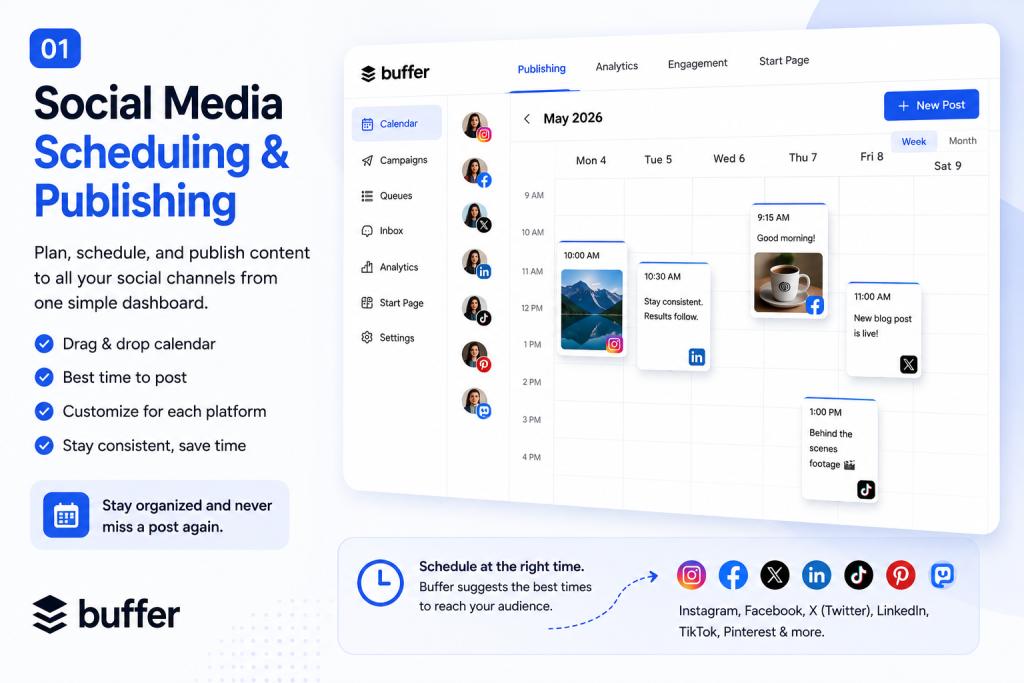
1. Social Media Scheduling and Publishing
Scheduling remains at the heart of Buffer.
You can connect your social channels, create content, select when you want it published, and manage upcoming posts from one dashboard.
Instead of opening Instagram, LinkedIn, Facebook, TikTok, and other platforms separately, you can organize your content calendar inside Buffer.
This is especially useful if you publish frequently.
For example, imagine managing five social media accounts and publishing one post per day on each platform. Without a scheduling tool, that’s potentially dozens of manual publishing actions every week.
Buffer allows you to prepare much of this work in batches.
You can create your posts during one focused content session and schedule them throughout the week.
Buffer also lets you customize posts for individual platforms. That’s important because content that works well on LinkedIn doesn’t necessarily need the same format as content published on Instagram or Threads.
You can also view upcoming posts through the content calendar, making it easier to spot gaps in your schedule.
For creators trying to become more consistent, this alone can justify using a social media scheduling tool.
If inconsistent posting is slowing down your social media growth, Buffer is worth testing.
👉 Start Scheduling Posts with Buffer
2. Buffer AI Assistant
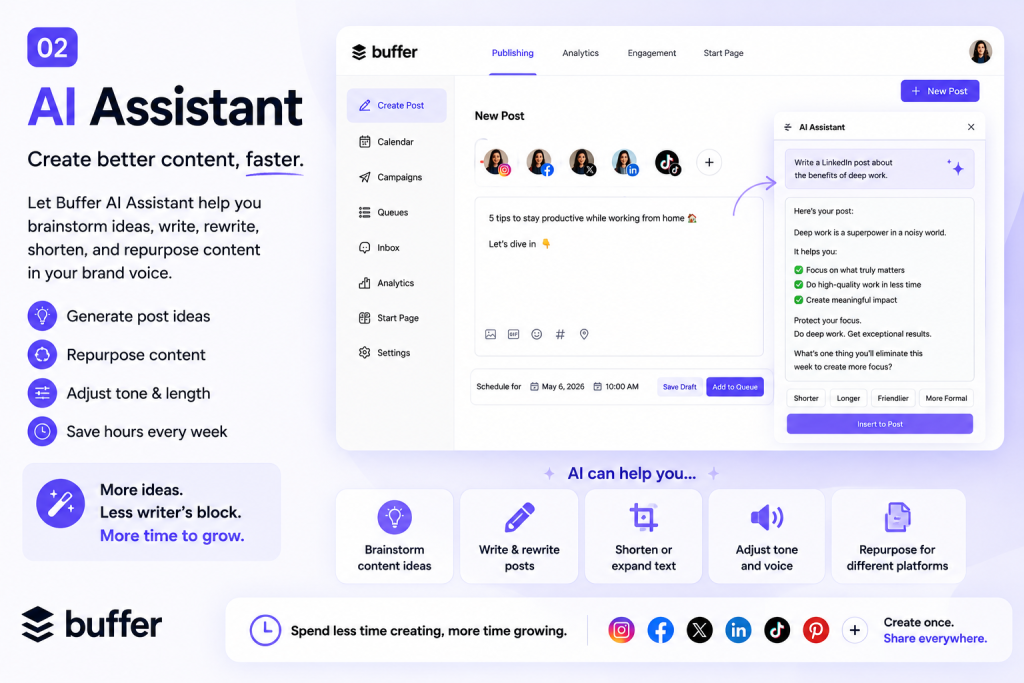
Artificial intelligence has become increasingly important in social media workflows, and Buffer now includes an AI Assistant directly within its content creation process.
The AI Assistant can help you:
- Brainstorm social media ideas
- Generate post drafts
- Rewrite existing content
- Shorten posts
- Expand content
- Adjust tone
- Repurpose content for other platforms
One particularly useful application is content repurposing.
Suppose you’ve written a long LinkedIn post. Instead of manually rewriting it for another platform, you can use AI to create a shorter variation and then refine the result before publishing.
This doesn’t mean AI should replace your own ideas or brand voice.
The best approach is to treat it as a productivity assistant.
Give it your core idea, use it to generate or refine a draft, and then edit the result so the final post still sounds like you.
Because the AI Assistant is integrated into Buffer’s publishing workflow, you don’t necessarily need to jump between multiple applications while creating content.
That makes Buffer increasingly useful as a complete social content workspace rather than just a scheduling application.
👉 Try Buffer’s AI-Powered Content Workflow
3. Content Calendar
Consistency is one of the biggest challenges in social media marketing.
You may have plenty of ideas but still end up posting irregularly because there is no clear publishing plan.
Buffer’s calendar helps solve that problem by giving you a visual overview of your scheduled content.
You can see what’s coming next and identify empty periods before they become missed publishing days.
For brands running campaigns, the calendar can also help coordinate content around launches, promotions, events, and announcements.
For individual creators, it provides something equally valuable: clarity.
Instead of constantly asking yourself, “What am I posting tomorrow?”, you can prepare several days or weeks of content ahead of time.
That can significantly reduce the daily mental load associated with maintaining multiple social accounts.
👉 Build Your Social Media Calendar with Buffer

4. Buffer Analytics and Insights
Publishing content is only half of social media marketing.
You also need to understand what works.
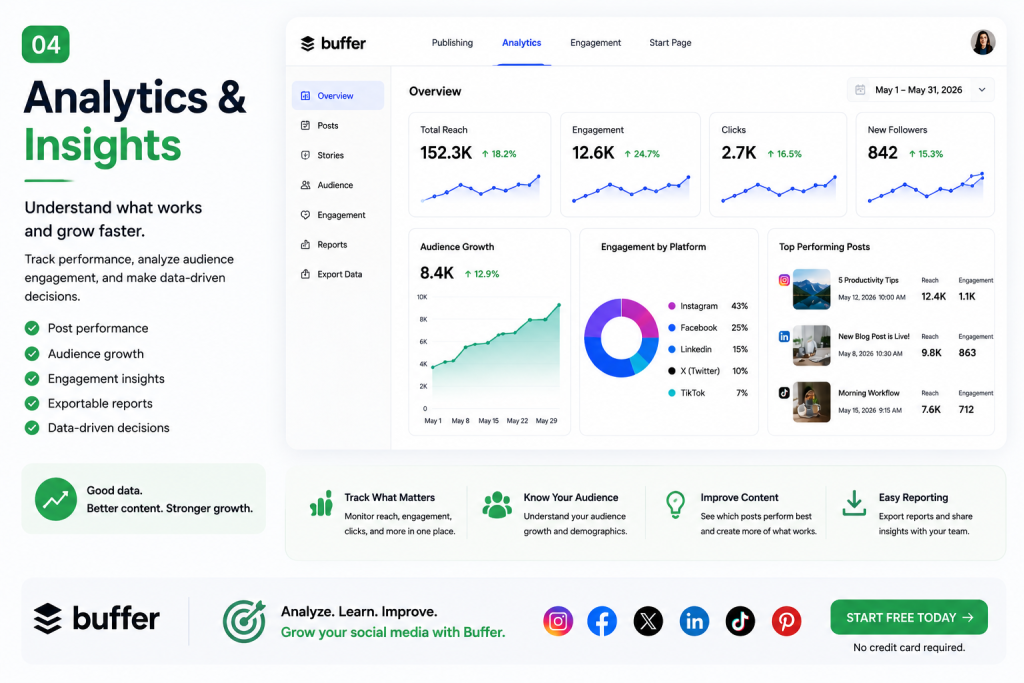
Buffer provides analytics through its Insights and advanced analytics features, allowing users to monitor social performance without constantly switching between individual platforms.
Depending on the plan and supported channel, you can evaluate metrics such as engagement, impressions, follower growth, and individual post performance.
Why does this matter?
Because your highest-performing content contains clues about what your audience wants.
Instead of creating posts based entirely on intuition, you can review your previous performance and make better-informed content decisions.
For example, you might discover that:
- Educational posts receive more saves.
- Short videos generate more reach.
- Personal stories produce more comments.
- Certain posting times consistently perform better.
- One platform generates much stronger engagement than another.
Those insights can influence your future content strategy.
Buffer’s analytics are particularly useful for creators and smaller teams that want accessible social media reporting without building complicated analytics dashboards.
👉 Start Measuring Your Social Media Performance with Buffer
5. Community Management
Publishing is only one side of social media.
The other side is conversation.
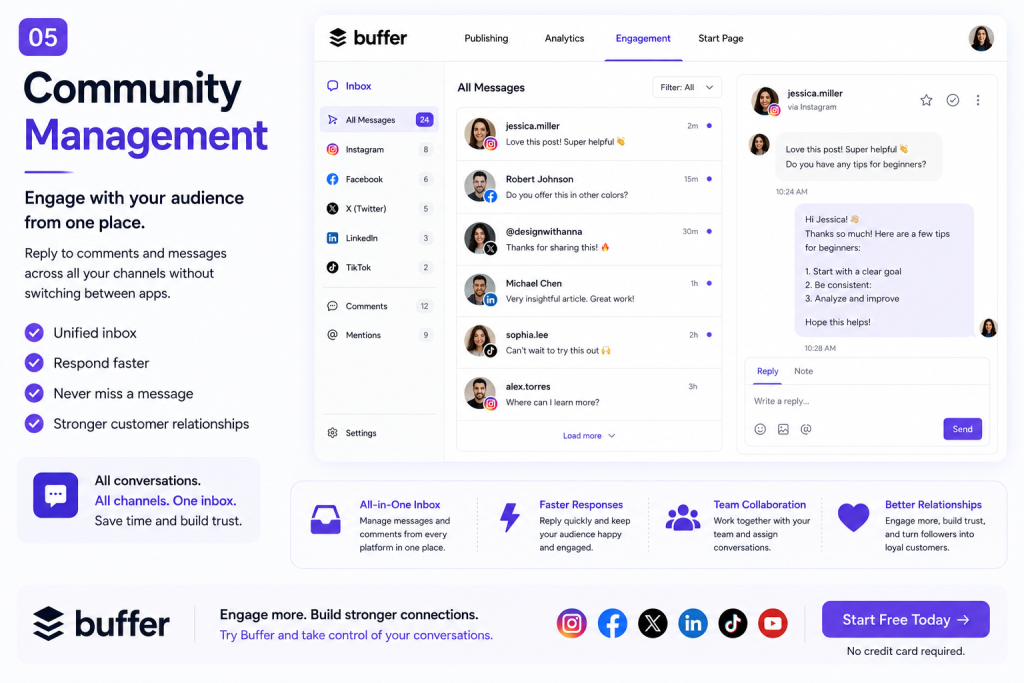
Buffer includes community management capabilities that can help you handle interactions without constantly jumping between different social apps.
This becomes increasingly valuable as your audience grows.
When you’re managing only one small account, responding directly through the native platform may be easy.
But once you’re responsible for multiple channels, keeping track of conversations can become much more difficult.
A centralized workflow helps reduce that friction.
For brands, agencies, and creators who treat social media as an important business channel, improving response efficiency can also help maintain stronger relationships with followers and customers.
👉 Manage Your Social Presence with Buffer
6. Buffer Start Page
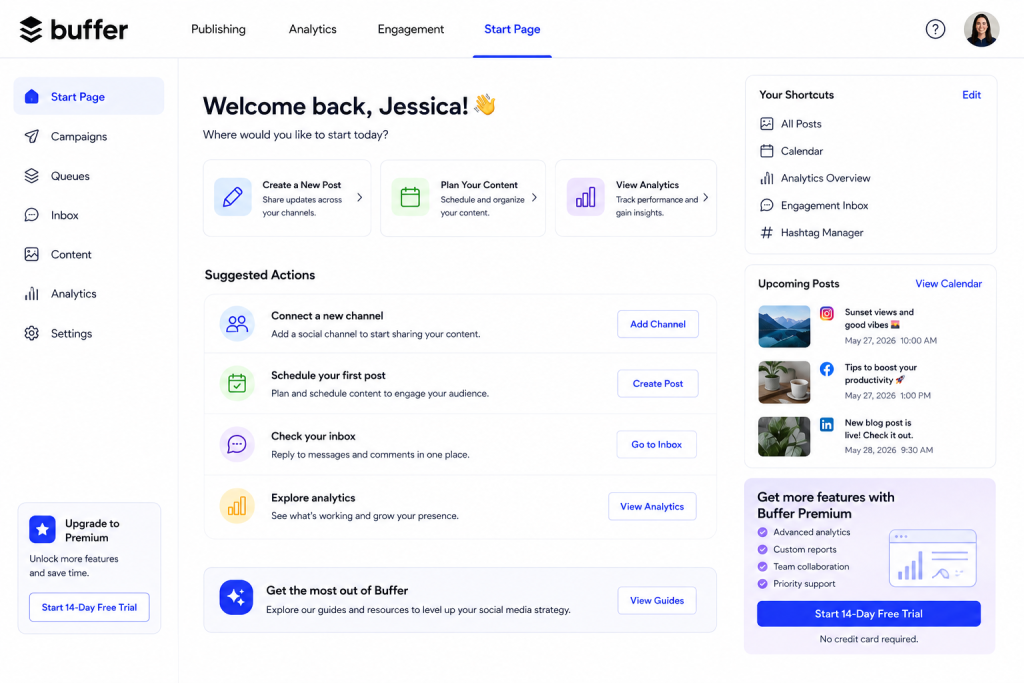
Buffer also offers Start Page, its built-in link-in-bio solution.
You can use it to create a customizable landing page containing links, products, videos, images, forms, blog posts, and other destinations.
This is particularly useful for Instagram and TikTok creators because those platforms often require users to direct followers through a single bio link.
Instead of sending visitors to one specific page, you can create a small hub containing multiple destinations.
For example:
My Website
Latest YouTube Video
Recommended Tools
Newsletter
Online Store
Latest Blog Post
Buffer also provides analytics for Start Page, helping you understand which links attract the most clicks.
For creators who would otherwise subscribe to a separate link-in-bio platform, having this functionality integrated into the same social media management ecosystem is convenient.
👉 Create Your Free Buffer Start Page
Buffer Pricing
One of Buffer’s biggest advantages is that you don’t necessarily have to pay before deciding whether you like the platform.
Buffer offers a Free plan, while its paid plans are primarily structured around the number of channels you connect.
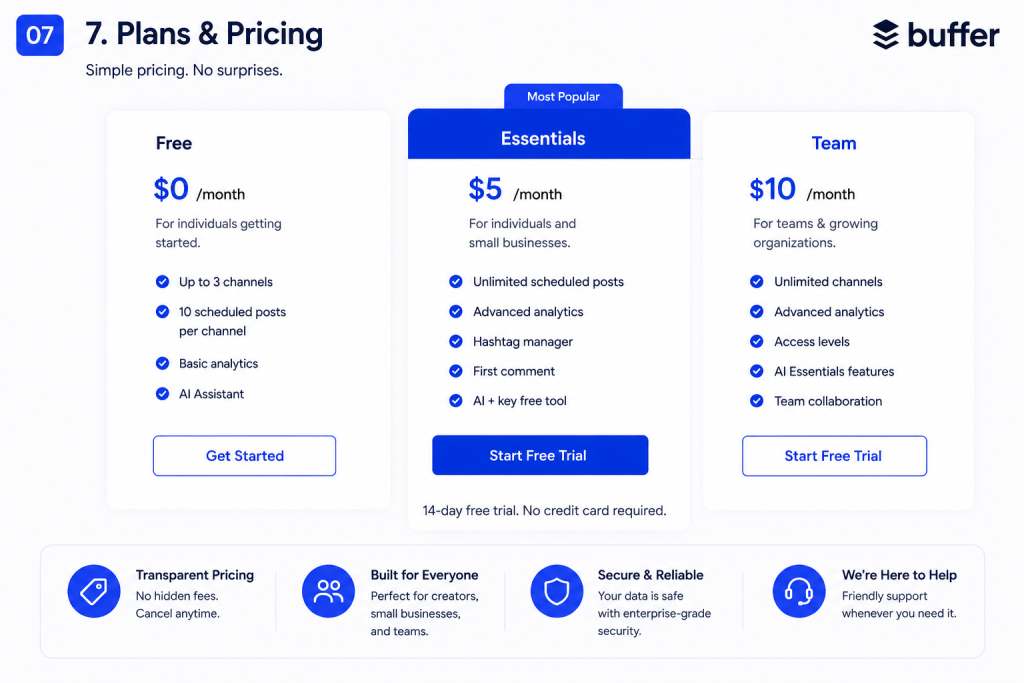
At the time of this review, the main plans include:
Buffer Free
The Free plan costs $0 and supports up to three channels.
It includes up to 10 scheduled posts per channel at a time, 100 ideas, one user account, AI Assistant access, Insights, Community inbox access, and API access within the plan’s limits.
For someone starting a personal brand or managing only a few social profiles, the Free plan may already provide enough functionality to test Buffer properly.
Buffer Essentials
Buffer Essentials currently starts from approximately $5 per month for one channel when billed annually.
It adds functionality such as unlimited scheduled posts, unlimited ideas, advanced analytics, hashtag management, first-comment scheduling, additional API capacity, and other tools.
Essentials makes sense for serious creators, freelancers, and small businesses that need more than basic scheduling but don’t require advanced team collaboration.
Buffer also offers a 14-day free trial for its paid functionality.
👉 Start Your 14-Day Buffer Trial
Buffer Team
Buffer Team currently starts from approximately $10 per month for one channel when billed annually.
The Team plan includes features designed for organizations managing social media collaboratively, including unlimited team members, access levels, and content approval workflows.
This is particularly useful when one person creates content but another person needs to review or approve it before publication.
👉 [Try Buffer Team]([YOUR AFFILIATE LINK])
Note: Buffer pricing can change over time and depends on factors such as the number of connected channels and billing cycle. Always check Buffer’s official pricing page for the latest price before subscribing.
Is Buffer Easy to Use?
This is arguably one of Buffer’s strongest selling points.
Some marketing platforms attempt to provide every possible feature, resulting in dashboards that can take days to understand.
Buffer takes a more focused approach.
The basic workflow is straightforward:
Connect your social accounts → Create content → Choose your channels → Schedule your posts → Review your calendar → Analyze performance.
Even someone who has never used a social media management platform before should be able to understand the core workflow relatively quickly.
That simplicity is particularly valuable for solo creators and small business owners.
They usually don’t want to spend hours learning enterprise marketing software.
They simply want a tool that helps them create and publish content more efficiently.
👉 Try Buffer Free and Explore the Dashboard Yourself
Who Should Use Buffer?
Buffer can work for several different types of users, but I think it is particularly attractive for the following groups.
Content Creators
If you’re building an audience across TikTok, Instagram, LinkedIn, Threads, YouTube, or other platforms, Buffer can help you maintain a consistent publishing schedule.
Instead of posting whenever you remember, you can batch-create your content and schedule it ahead of time.
Small Businesses
Many small businesses don’t have a dedicated social media department.
The person managing social media may also be handling customer support, sales, operations, or marketing.
Buffer reduces the amount of manual work required to maintain several social profiles.
Freelancers and Social Media Managers
If you manage social accounts professionally, keeping everything organized becomes essential.
A central scheduling and content planning system can save significant time.
Marketing Teams
Teams can benefit from collaboration, permission, and approval features available through Buffer’s Team offering.
Agencies
Buffer’s per-channel pricing model can also be useful for agencies that need flexibility as clients and connected channels change.
👉 See Which Buffer Plan Fits Your Workflow
Buffer Pros and Cons
No software is perfect, and a useful review should discuss both strengths and weaknesses.
Buffer Pros
Easy to use
Buffer’s relatively clean interface makes it accessible to beginners while still offering enough functionality for more experienced marketers.
Free plan available
You can connect up to three channels and test the core workflow without immediately purchasing a subscription.
Supports many popular social networks
Buffer works with major platforms including Instagram, TikTok, Facebook, LinkedIn, X, YouTube, Pinterest, Threads, Bluesky, Mastodon, and Google Business Profile.
AI Assistant included
AI-powered drafting and repurposing can speed up the content creation process.
Built-in analytics
You can analyze social media performance and use that information to improve future content.
Link-in-bio functionality
Start Page reduces the need for another standalone tool if you need a simple link-in-bio landing page.
Useful collaboration tools
The Team plan provides workflows for organizations that require multiple users and content approvals.
Buffer Cons
Costs increase as you add channels
Because paid Buffer plans are priced according to connected channels, managing many accounts can increase your total subscription cost.
Advanced functionality may require a paid plan
The Free plan is excellent for testing the platform, but serious marketers will probably want features included in Essentials or Team.
Not every feature works identically across every social network
Social networks have different APIs and publishing restrictions. As a result, publishing, analytics, and engagement capabilities can vary depending on the platform.
Power users may want deeper enterprise functionality
Large agencies and enterprise organizations requiring extremely complex reporting, social listening, governance, or large-scale customer service workflows may need to compare Buffer with more specialized enterprise platforms.
For most creators and small-to-medium social teams, however, Buffer’s simplicity is arguably part of its appeal.
👉 Test Buffer Free Before Deciding
Buffer Free vs Essentials vs Team: Which Should You Choose?
The easiest way to choose is based on your workflow.
Choose Buffer Free if you’re just getting started, managing up to three channels, or simply want to test Buffer.
Choose Buffer Essentials if social media is becoming an important part of your business and you want unlimited scheduled posts, more advanced analytics, and additional publishing features.
Choose Buffer Team if multiple people need to collaborate, approve content, or manage your social media operation together.
If you’re unsure, starting with the Free plan is the safest option.
You can experience Buffer’s interface and basic workflow before deciding whether the additional features justify an upgrade.
Buffer vs Manual Social Media Management
Technically, you don’t need Buffer.
You can log into every social network individually and publish everything manually.
The question is whether that’s the best use of your time.
Suppose publishing and checking each platform takes only 10 minutes.
If you manage six platforms, that’s already an hour of repetitive work.
Do that several times each week and the time adds up quickly.
Scheduling tools change the workflow.
Instead of repeatedly switching contexts throughout the day, you can batch your content creation.
For example:
Monday morning: create the week’s content.
Monday afternoon: customize posts for each platform.
Schedule everything: Buffer handles the publishing schedule.
You can then spend the rest of your time creating better content, talking with your audience, or growing your business.
That’s the real value of Buffer.
It isn’t simply about scheduling posts.
It’s about reducing repetitive work.
👉 See How Much Time Buffer Could Save You
Is Buffer Good for Beginners?
Yes.
In fact, beginners are probably one of the audiences that benefit most from Buffer’s approach.
You don’t need a complicated social media operation to start using it.
A creator managing Instagram, TikTok, and LinkedIn, for example, could potentially begin with Buffer’s Free plan.
That gives you an opportunity to learn how content scheduling works before investing in a paid social media management platform.
The presence of AI Assistant and content ideas can also help when you’re struggling to maintain a consistent content pipeline.
However, don’t automate everything simply because you can.
Good social media still requires creativity, authentic interaction, and an understanding of your audience.
Buffer should support your strategy — not replace it.
👉 Start Learning Buffer for Free
Is Buffer Worth It in 2026?
For many creators, freelancers, small businesses, and social media teams, yes — Buffer remains a strong option in 2026.
Its biggest advantage isn’t necessarily having the largest number of features.
It’s the combination of useful features and simplicity.
You get scheduling, content planning, AI assistance, analytics, community tools, collaboration, and link-in-bio functionality within one ecosystem.
The Free plan also significantly reduces the barrier to entry.
You don’t have to rely entirely on reviews — including this one.
You can create an account, connect a few social profiles, schedule some content, and decide whether the workflow works for you.
That’s ultimately the best way to evaluate any productivity tool.
Buffer Review 2026: Final Verdict
Overall Rating: 4.6/5
Buffer remains one of the easiest social media management platforms to recommend for creators and small businesses that want to publish consistently without turning social media management into a complicated operation.
Its strongest qualities are its clean workflow, broad platform support, useful scheduling capabilities, AI-powered content assistance, analytics, and accessible Free plan.
It’s particularly well suited to:
Solo creators who want to schedule content efficiently.
Small businesses managing several social media channels.
Freelancers responsible for social media marketing.
Marketing teams that need structured content approvals.
Agencies looking for flexible per-channel management.
The biggest consideration is pricing as your number of channels grows. If you manage a very large number of accounts or need sophisticated enterprise-level social listening and reporting, it makes sense to compare several alternatives before committing.
For everyone else, the easiest way to decide is simply to test it.
Buffer offers a Free plan, so you can experience the workflow without making an immediate financial commitment.

Ready to Try Buffer?
If you’re tired of manually posting to multiple social media platforms, Buffer can help you organize your content, schedule posts in advance, and manage your social presence from one workspace.
You can start with the Free plan and upgrade later if you need additional features.
No credit card is required for the Free plan.
Frequently Asked Questions About Buffer
Is Buffer free?
Yes. Buffer currently offers a Free plan that lets you connect up to three channels and maintain up to 10 scheduled posts per channel at a time.
Does Buffer have a free trial?
Buffer currently offers a 14-day trial for its paid features, allowing you to explore more advanced functionality before deciding whether to subscribe.
Does Buffer work with TikTok?
Yes. TikTok is among the social channels supported by Buffer. However, capabilities can vary by network because of platform-specific API and publishing limitations.
Does Buffer work with Instagram?
Yes. Buffer supports Instagram and provides publishing, scheduling, analytics, and community features depending on account type and plan.
Does Buffer support LinkedIn?
Yes. Buffer supports both LinkedIn profiles and LinkedIn Pages, although available functionality can differ between account types.
Can Buffer generate social media posts with AI?
Yes. Buffer includes an AI Assistant that can help generate, rewrite, shorten, expand, and repurpose social media content.
Is Buffer good for small businesses?
Yes. Buffer is particularly attractive for small businesses because it provides a Free entry point and lets businesses add paid channels as their social media operation grows.
Is Buffer worth paying for?
It depends on how heavily you use social media. If scheduling and managing multiple channels saves you several hours each month, the cost of a paid Buffer plan may be relatively easy to justify.
The best approach is to start free and upgrade only when the limitations of the Free plan begin affecting your workflow.

Latest posts by Mr John (see all)
